

Overview
The PlanetScale Data Branching® feature allows you to create isolated copies of your database that include both the schema and data. This differs from our regular branching feature, which only includes the schema.Enable the Data Branching® feature for your database.
Before you can use the feature, you have to enable it in your database settings page.Create a new seeded branch
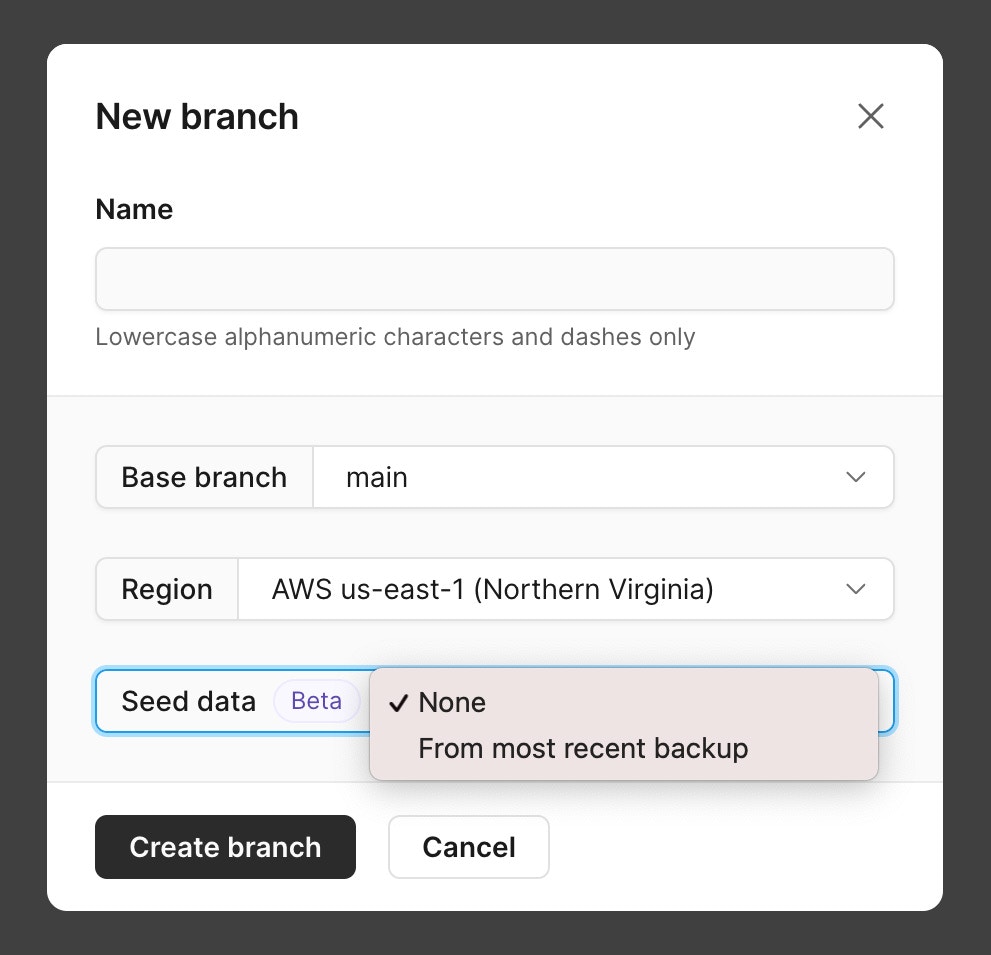
-
Once you’ve selected an option, click “Create branch” to create a new branch.
FAQ
Can I pick which backup is used for the new branch?
Can I pick which backup is used for the new branch?
PlanetScale picks the latest backup so that your new branch has the latest dataset to work with.
Can I pick which tables are copied into the new branch?
Can I pick which tables are copied into the new branch?
PlanetScale seeds the new branch with all the schema & data from the base branch. We do not offer a way to filter out data or schema when creating a new branch.
Is data in the new branch kept up to date with changes to the base branch?
Is data in the new branch kept up to date with changes to the base branch?
PlanetScale does not provide data syncing between a production branch and a development branch.
When I merge my deploy request, will any data changes be merged back to the base branch?
When I merge my deploy request, will any data changes be merged back to the base branch?
PlanetScale does not provide data syncing between a production branch and a development branch.
Will enabling the Data Branching® feature affect my billing?
Will enabling the Data Branching® feature affect my billing?
Yes, it can. If you are branching and seeding from a development branch, the new branch will count towards your development branch usage hours in the same way that regular branching does, but because you’re seeding it with data, it will also be billed for storage.However, if you branch and seed from a production branch, the new branch will be created as a production branch at the same resource size as the source production branch, and will therefore be billed at that size. It will also be seeded with the production data and include the 2 default production replicas, so you will be charged for the storage as well for however long the branch stays running.For example, if you are branching off a
PS-80 production branch with 100 GB of storage, and you seed the new branch with that source production branch’s data, you will be billed for the new seeded branch as follows:PS-80— $179- 100 GB — (135